How to Check C2PA Content Credentials
Quick answer: Open a C2PA-compatible viewer, inspect the original file when possible, and read the credential status with its signature and provenance details. Verification checks the available credential and its applicable bindings. It does not automatically prove that every claim is true.
Step 1 — Start with the original file
Whenever possible, start with the original file or the earliest provenance-bearing export. Screenshots, messaging-app copies, and re-shared media can change the file or separate it from the evidence that was available in the original export.
C2PA credentials can be embedded in an asset or associated through sidecar or remote manifests. This guide covers the practical first check: supplying the file you have to a viewer. If the original export is not available, you can still inspect the copy, but less evidence may remain.
A screenshot normally creates a new image and does not carry the original file's C2PA Content Credential. Inspecting the screenshot tells you about the screenshot, not about the complete provenance of the original capture.
If you want to test whether a specific platform preserves provenance when you share media, follow our hands-on guide: Does Social Media Remove C2PA Metadata? How to Check.
Step 2 — Open C2PA Lab
Open the C2PA Lab viewer in a modern browser. The inspection runs entirely on your device with no file upload required. If you want to check an image, video, audio file, or PDF directly from the web without downloading it first, you can also inspect it by link using the C2PA URL Checker.
Supported formats matrix
C2PA Lab parses provenance manifests and cryptographic signatures across images, video, audio, and documents up to 200 MB. In-browser visual previews depend on native browser rendering capabilities, while C2PA manifest parsing and cryptographic verification are fully supported for all listed formats.
| Format | Category | Extensions | C2PA Manifest & Metadata | In-Browser Visual Preview | Available Tools |
|---|---|---|---|---|---|
| JPEG | Image | .jpg, .jpeg | Yes (full parsing & verification) | Yes (full image display) | Home, Manifest Viewer, Metadata Inspector |
| PNG | Image | .png | Yes (full parsing & verification) | Yes (full image display) | Home, Manifest Viewer, Metadata Inspector |
| WebP | Image | .webp | Yes (full parsing & verification) | Yes (full image display) | Home, Manifest Viewer, Metadata Inspector |
| AVIF | Image | .avif | Yes (full parsing & verification) | Yes (full image display) | Home, Manifest Viewer, Metadata Inspector |
| HEIC / HEIF | Image | .heic, .heif | Yes (full parsing & verification) | No (browser canvas limits; metadata only) | Home, Manifest Viewer, Metadata Inspector |
| SVG | Vector | .svg | Yes (full parsing & verification) | No (withheld for active-content safety) | Home, Manifest Viewer, Metadata Inspector |
| MP4 | Video | .mp4 | Yes (full parsing & verification) | Yes (HTML5 video player) | Home, Manifest Viewer, Metadata Inspector |
| QuickTime | Video | .mov | Yes (full parsing & verification) | Yes (browser codec dependent) | Home, Manifest Viewer, Metadata Inspector |
| MP3 | Audio | .mp3 | Yes (full parsing & verification) | No (metadata & manifest only) | Home, Manifest Viewer, Metadata Inspector |
| WAV | Audio | .wav | Yes (full parsing & verification) | No (metadata & manifest only) | Home, Manifest Viewer, Metadata Inspector |
| Document | .pdf | Yes (full parsing & verification) | No (metadata & signature summary) | All tools + Dedicated PDF Checker |
If you do not have a C2PA file available, the viewer also includes prepared C2PA samples and a no-credential example.
Step 3 — Drop the file
Drag the file into the upload area, choose a file, or paste it if your browser supports that action. The viewer reports five Content Credential results below.
The five Content Credential results
- Verified & Trusted
- Valid — Untrusted Signer
- Verification failed
- Verification unavailable
- No Content Credentials found
None of these states is an authenticity score. They describe what the viewer found and what it could validate under its current checks and configuration.
Step 4 — Understand the result
| Result | What it means | What it does not mean |
|---|---|---|
| Verified & Trusted | The manifest passed the applicable validation checks, including the relevant cryptographic bindings and signature checks, and the signer is trusted by this reader. | It does not prove every declaration is true. |
| Valid — Untrusted Signer | The manifest passed the applicable integrity checks, but the signing credential is not recognized by this reader's trust configuration. | It is not a failure result, and it does not prove the claim is true or the signer is trustworthy. |
| Verification failed | Content Credentials were found, but one or more applicable validation checks failed. | It is not automatically proof of malicious manipulation; unsupported features, export bugs, or damaged data can also cause failure. |
| Verification unavailable | Content Credentials were found, but the viewer could not determine a complete verification result. | It is not the same as a failed cryptographic check. |
| No Content Credentials found | No readable C2PA Content Credential was found in the inspected asset. | It does not mean the file is fake, edited, or AI-generated, and it does not rule out every sidecar, remote, or unsupported packaging path. |
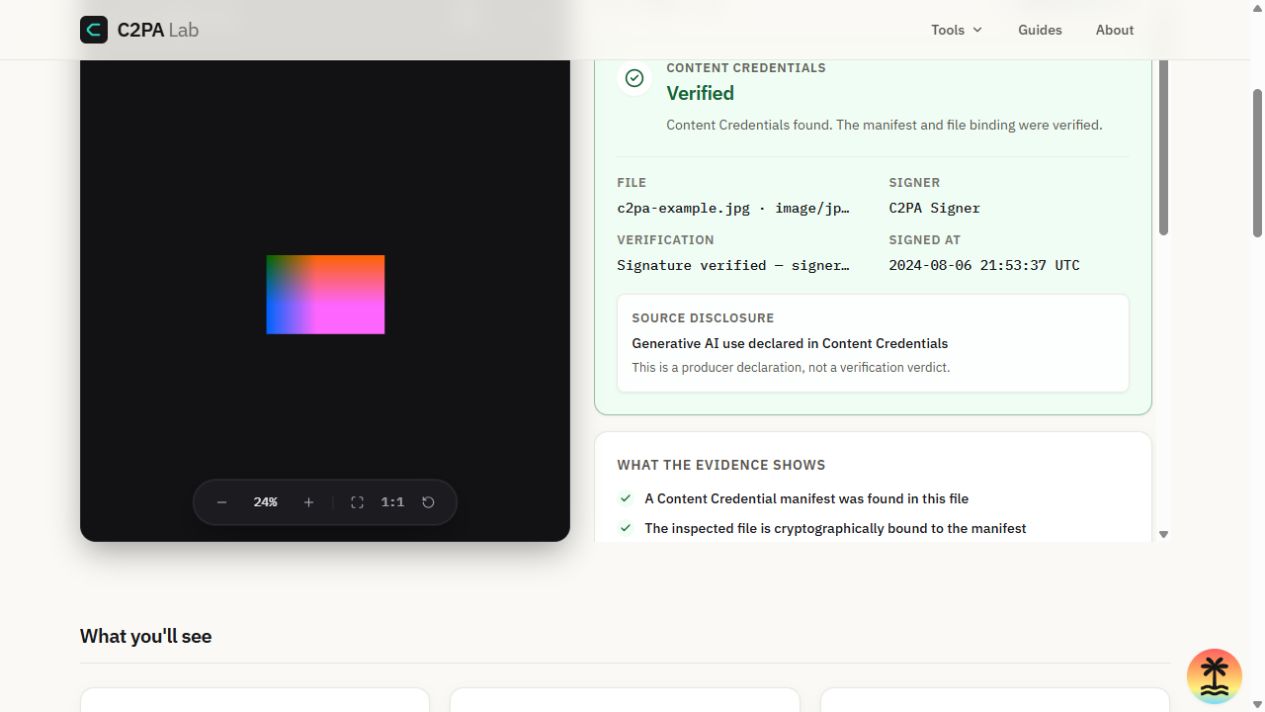
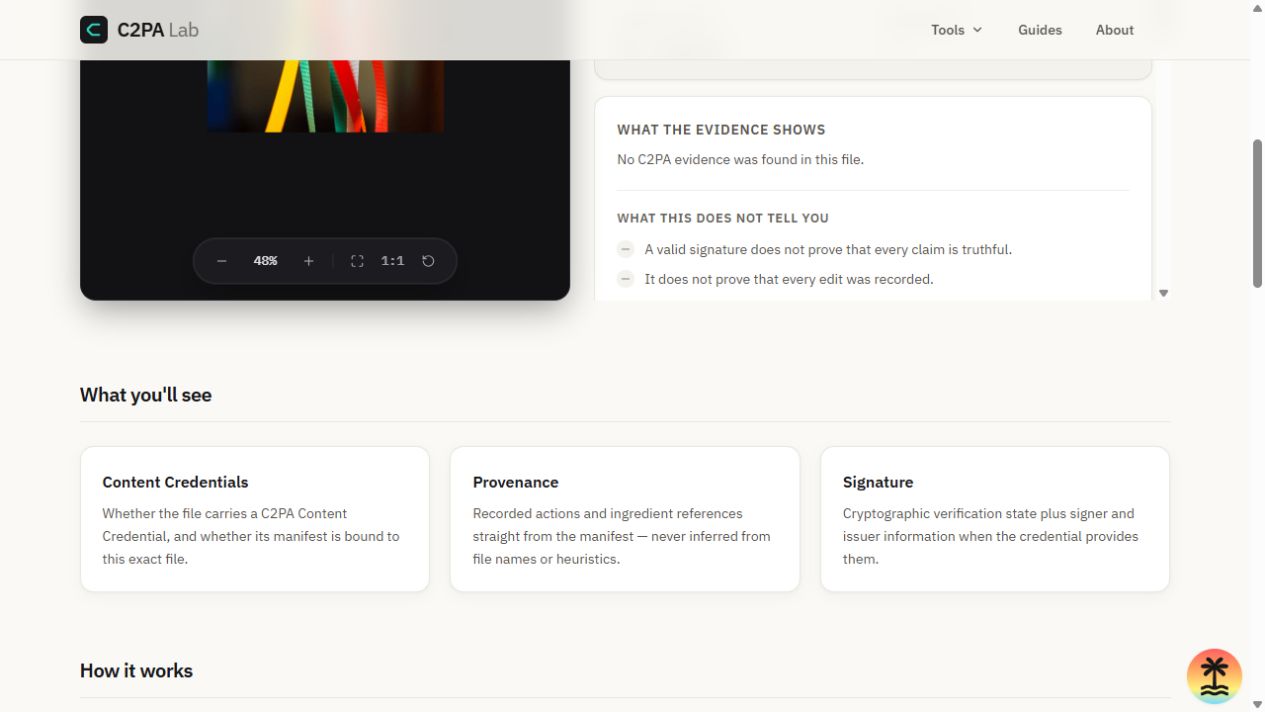
After the status, check the signature context. A signature can be cryptographically verified while the signer is not recognized by the viewer's trust configuration. See How C2PA verification works for the difference between cryptographic validation and trust.
Inspection errors are separate
A file that cannot be inspected has not received a Content Credential result. This is different from No Content Credentials found.
| Inspection error | What it means | What to do next |
|---|---|---|
| Unsupported file type | The viewer rejected the file before starting the C2PA engine. | Use a format supported by the viewer, or inspect the earliest supported export. |
| Damaged or unreadable | The file could not be parsed completely enough to inspect its credential. | Check whether another export exists; do not treat the parse error as proof of tampering. |
Step 5 — Inspect provenance and technical details
When actions are recorded, they appear in the provenance timeline exactly as the manifest states them. If no actions are recorded, the viewer should not invent a creation or editing history.
Expand the technical details to inspect assertions, ingredients, signer information, validation results, and the raw manifest JSON. Treat these as evidence to read, not as a single truth score.
Why starting with the original file matters
Original capture
      |
C2PA credential
      |
Editing / export
      |
Social platform or messaging app
      |
Re-encoded copy
      |
Credentials may be unavailable
Each step can preserve provenance, record it in a new manifest, or make it harder to discover. Distribution, messaging, and social services may re-compress media or remove embedded containers during processing. Behavior varies by service, format, account type, and workflow, so inspect the most original file available.
This is why a re-shared copy may no longer contain readable Content Credentials, especially if the platform re-encoded the asset. The absence of evidence in that copy is not proof that the original never had evidence.
A concrete example
For a credentialed JPEG, the viewer may show a verified manifest, the generating application, recorded actions, ingredient references, signature information, and the raw manifest JSON. A re-shared copy of the same image may show No Content Credentials found; that result means no readable credential was found in the inspected asset, not that the viewer has assigned a suspicion score.
If you want to see the workflow without your own file, open the homepage example gallery. It includes verified C2PA samples, a composed asset with ingredients, and an official example with no C2PA manifest store.
What verification does not prove: A verified result does not prove that every claim is factually true, that the scene happened as described, that every edit was recorded, or that a signer is trustworthy under every policy. Missing credentials also do not make the opposite claim. For the full boundaries, see How C2PA verification works.
Check a real file
Open C2PA Lab and inspect a file directly in your browser. No file upload is required. To explore signed manifest structure in more depth, use the C2PA Manifest Viewer.
Check a file on C2PA Lab
Run the inspection directly in your browser. Your file stays on your device, no file upload is required, and the viewer separates validation status from declared provenance.
Check a fileOfficial references
C2PA terms, manifest discovery, and validation behavior are defined by the official C2PA specifications.
FAQ
Does C2PA prove an image is authentic?
No. Verification shows that the applicable credential and bindings passed the viewer's checks. It does not establish that every claim is factually true.
Does no Content Credentials mean an image is AI-generated?
No. It only means that no readable C2PA Content Credential was found in the inspected asset.
Can a screenshot keep C2PA credentials?
Normally, no. A screenshot creates a new image asset and does not carry the original file's credential.
Why did my file lose Content Credentials?
Re-encoding, editing, export workflows, unsupported handling, or platform processing can make credentials unavailable in the resulting file. Some workflows can preserve or recreate provenance, so it is useful to inspect the earliest file you can obtain.
Do I need an account?
No. Open the viewer, choose a file or example, and inspect it locally in your browser.
Related guides
Background: What is C2PA?, What are Content Credentials?, and How C2PA verification works.